





BCPoker Login – Access Methods, Security Settings, and Account Recovery
BCPoker login is available via browser and through native mobile apps on Android (6.0+) and iOS (13.0+), all protected by BC Shield – a 6-level security architecture that monitors every authentication event in real time. The poker platform supports email/password sign-in alongside four social authentication options. Register now and claim up to $335 in welcome rewards from your very first session.
How to Log In to BC Poker – All Available Authentication Methods
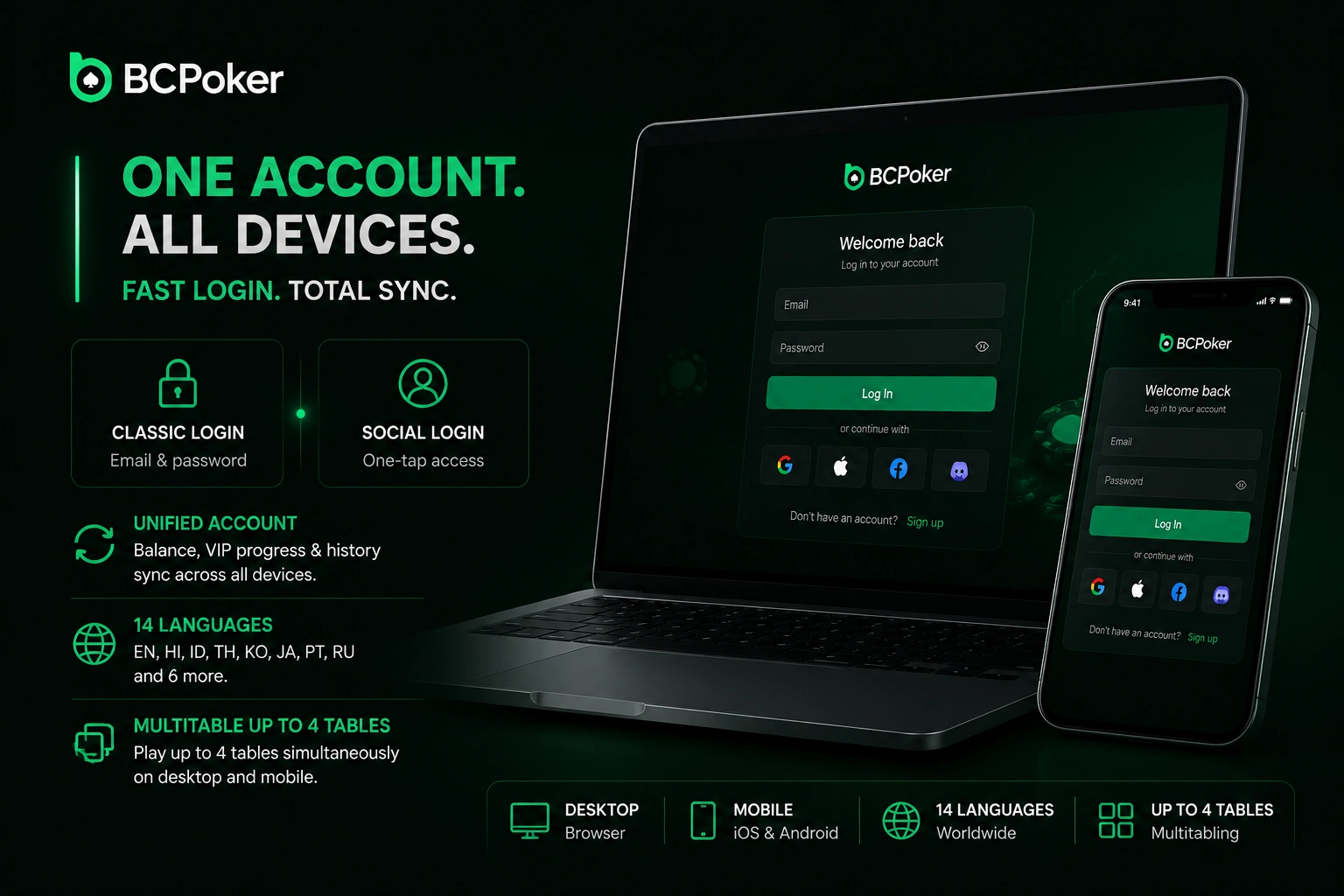
BC Poker login is available through two paths: classic credential entry and one-tap social authentication. Both routes lead to a single unified player account where balance, VIP progress, and transaction history sync automatically across all devices. The poker platform covers 14 languages, including English, Hindi, Indonesian, Thai, Korean, Japanese, Portuguese, and Russian. Multitabling up to 4 simultaneous tables is available from the moment you sign in on both desktop and mobile.
Email and Password Login – Where to Find the Sign-In Button on Desktop and Mobile
BCPoker login via email starts from the top-right corner of the lobby screen on desktop, or from the clearly labelled button below the BCPoker logo on the mobile app’s home screen. The same user account works across browsers and app simultaneously, with balance and session data synced in real time. To sign in via email:
- Launch the BCPoker app or open the poker platform in your browser.
- Tap the “Login” button in the top-right corner of the screen.
- Enter the email address linked to your poker account and type your password.
- Tap “Confirm” and complete the one-time code verification if the system prompts it.
Social Login Options: Telegram, X, MetaMask, Line – One-Tap Access Explained
BC Poker login via social accounts removes password management from the sign-in process entirely. Four connectors are available on the login page, each linking to the same unified player account as email-based authentication – switching between methods is supported through account settings without re-registration. The available social sign-in options are:
- Telegram: tap the icon, authorise through the Telegram app, and the session opens immediately;
- X (formerly Twitter): single-step authorisation redirect, no permissions beyond identity confirmation required;
- MetaMask: wallet-based authentication where your Ethereum address acts as the account identifier;
- Line: single-tap confirmation inside the Line app.
Every BC Poker login event, regardless of method, passes through the same real-time security monitoring applied to email-based sign-in.
First Login After Registration on BCPoker – What to Do Immediately
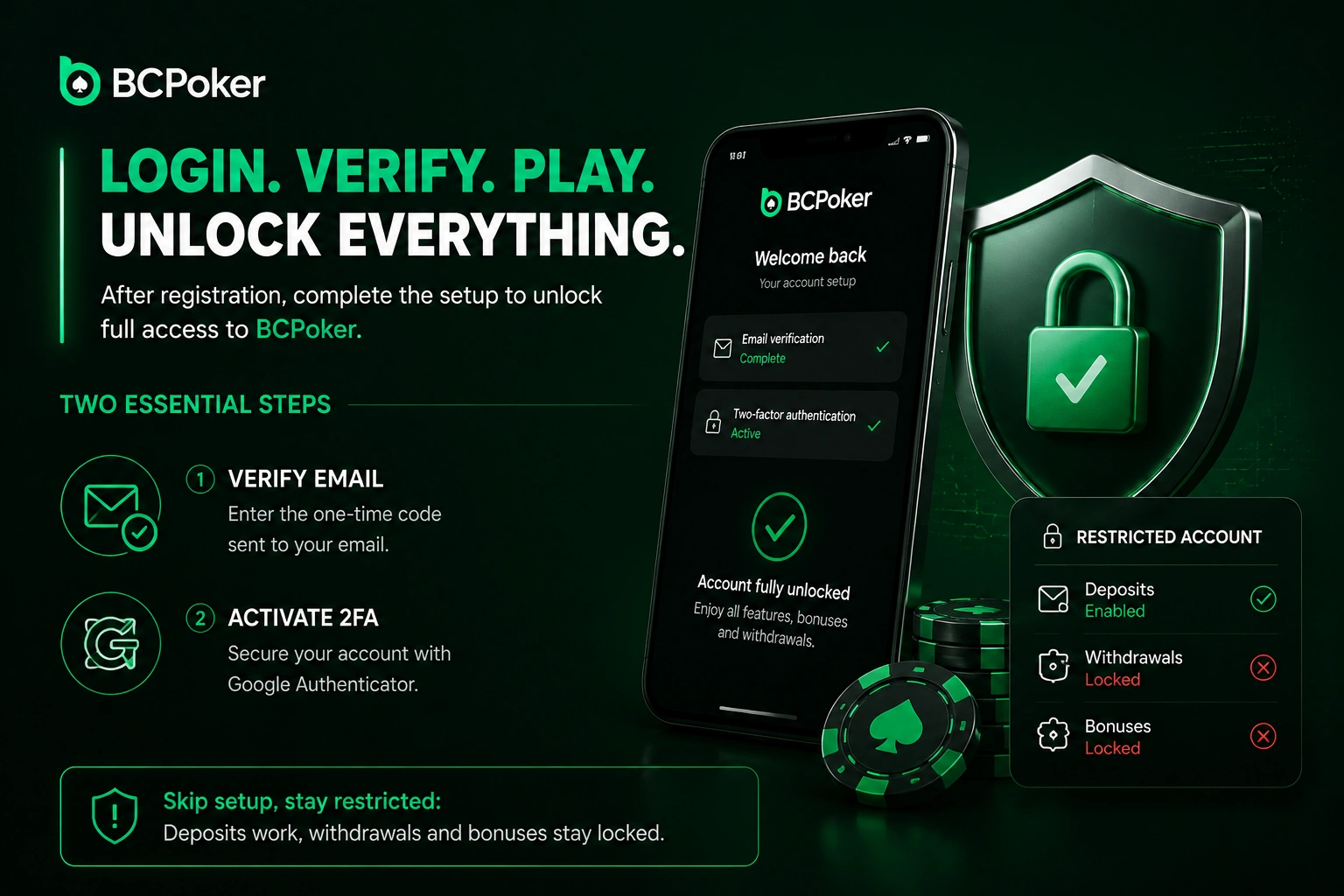
BCPoker login after registration triggers a setup sequence that unlocks the full feature set of the online poker room, including bonus eligibility and withdrawal access. Two steps are essential before playing for real money: email verification via one-time code and 2FA activation through Google Authenticator. Skipping the setup sequence leaves the user account in a restricted state where deposits are accepted but withdrawals and bonuses remain locked.
Email Confirmation via One-Time Code – Why It Is Required and How Long It Is Valid
BC Poker login setup begins with email ownership confirmation via a one-time code sent to the registered address. Completing it is a prerequisite for the first deposit bonus of 10% up to $200 and unlocks the $5 BCD no-deposit bonus for mobile-registered users who complete KYC. BCPoker’s dual deposit guarantee activates for verified users: processing delays beyond 30 minutes trigger an automatic delay bonus, and deposits unresolved within 7 days receive full automatic compensation.
Activating 2FA via Google Authenticator Right After First Sign-In
BCPoker login security reaches its strongest point when two-factor authentication is enabled immediately after the first sign-in. Google Authenticator generates a new 6-digit code every 30 seconds under the TOTP protocol (RFC 6238), meaning the player account stays protected even if credentials are exposed. To activate 2FA after your first BCPoker login:
- Open account Settings and select the “Security” section.
- Download Google Authenticator on your mobile device if not already installed.
- Scan the QR code displayed on screen using the Authenticator app.
- Enter the 6-digit code to confirm activation.
- Save the backup recovery codes in a secure offline location before closing the setup screen.
BC Poker Login Troubleshooting – Common Issues and How to Resolve Them
BC Poker login issues fall into three categories: forgotten credentials, lost 2FA device, and account holds triggered by the risk-control system. BCPoker’s support team is available 24/7 via Live Chat, by email at support@bcpoker.com, or through Telegram at @BCPokerOfficialBot. Players who completed KYC prior to an access issue benefit from faster identity confirmation during recovery.
Forgotten Password Reset – Email Recovery Flow Step by Step
BCPoker login recovery for a forgotten password is handled entirely through email without contacting support. BCPoker enforces password strength requirements during the reset process, reducing the likelihood of repeat access issues. To reset your BC Poker login password:
- Click “Forgot Password” below the sign-in form.
- Enter the email address registered to your BCPoker account.
- Open the reset email and click the secure recovery link inside it.
- Create a new password meeting the platform’s strength requirements.
- Sign in with the updated credentials and re-verify 2FA if it was previously active.
What to Do If 2FA Device Is Lost – Recovery Options and Support Contact
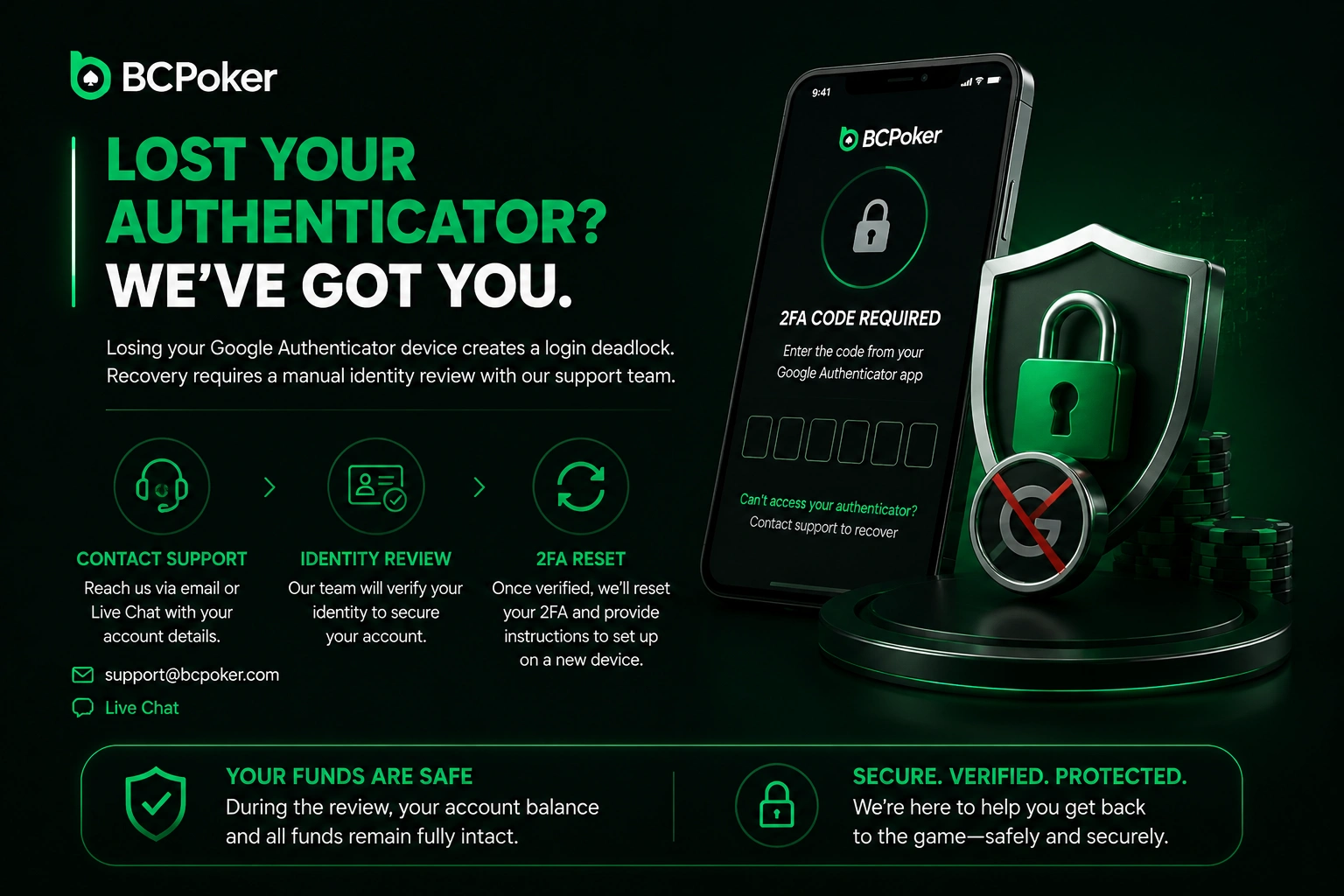
Losing the Google Authenticator device creates a BC Poker login deadlock, since the time-based code cannot be generated without the physical hardware. Recovery requires direct contact with the BCPoker support team for a manual identity review via support@bcpoker.com or Live Chat, providing account details for identity confirmation. During the review period, the player account balance and all funds remain fully intact, and once verification is complete, 2FA is reset with instructions issued for reconfiguration on a new device.
Account Blocked at Login – Risk-Control Holds and How to Initiate Review
BCPoker login may be placed on a temporary hold if the AI monitoring system detects unusual patterns such as multiple rapid attempts from different geographic locations or behaviour deviating from the player account’s established baseline. A sign-in hold does not affect crypto or fiat funds on the poker platform. To initiate a review after a BC Poker login block, contact Live Chat, state that the account is restricted at the sign-in stage, and follow the support agent’s instructions – a government-issued ID may be required for compliance-related holds.
Login Security Architecture at BCPoker
BC Poker login infrastructure is built on BC Shield, a 6-layer security system active since November 2025, covering every authentication event across browser and mobile sessions. Each layer targets a specific attack vector, and players with 2FA active benefit from an additional cryptographic checkpoint on every sign-in processed independently from password verification.
SSL Encryption on Every Authentication Request – How It Protects Credentials
BCPoker login requests are transmitted through AES-256 encrypted SSL/TLS channels, with encryption applied at device level before any data leaves the browser or app. BCPoker implements Proof of Reserves, with all player balances held in independent wallets backed 1:1 with real funds and subject to independent audit. Sign-in notifications are sent whenever a user account is accessed from a new device or location not previously associated with it.
| BC Shield Layer | Attack Vector Blocked | Technical Implementation |
| Provably Fair RNG | Card deal manipulation | KECCAK-256 algorithm; player-seeded shuffle; cryptographic key published after each hand |
| AI Behaviour Detection | Bots, RTA tools, assistance software | Real-time behavioural analysis; automatic flagging on deviation |
| Liveness Verification | Non-human seat entry | 3D facial recognition on table entry; biometric data not stored |
| Emulator & VM Blocking | Script-based automated access | Blocks Android/iOS emulators and virtual machines |
| Wormhole Detection | Remote desktop and screen-sharing | Blocks TeamViewer, AnyDesk, and equivalent applications |
| HUD & Tracker Ban | Third-party data mining and RTA | System-level block of all HUDs and data collectors |
For BCPoker login specifically, AI Behaviour Detection and AES-256 transmission encryption are the two BC Shield layers operating directly at the authentication stage.
AI Monitoring of Login Patterns – How Unusual Access Attempts Are Flagged
BC Poker login events are processed in real time by the AI-driven behavioural detection engine within BC Shield. The system analyses login frequency, geographic origin, device fingerprint, and session timing across every authentication request, assigning a risk severity score to any attempt that deviates from the player account’s established baseline. For user accounts with 2FA active, the AI layer processes the behavioural signal independently from password and authenticator input, meaning even a correct sign-in can trigger a review flag if the surrounding context is anomalous.